Best Document Scanner for Small Business and Going Paperless
The best document scanner for small business use depends on how much paper you handle, how many people share it and where the scans need to go. Our pick for most small businesses is the ScanSnap iX1300.
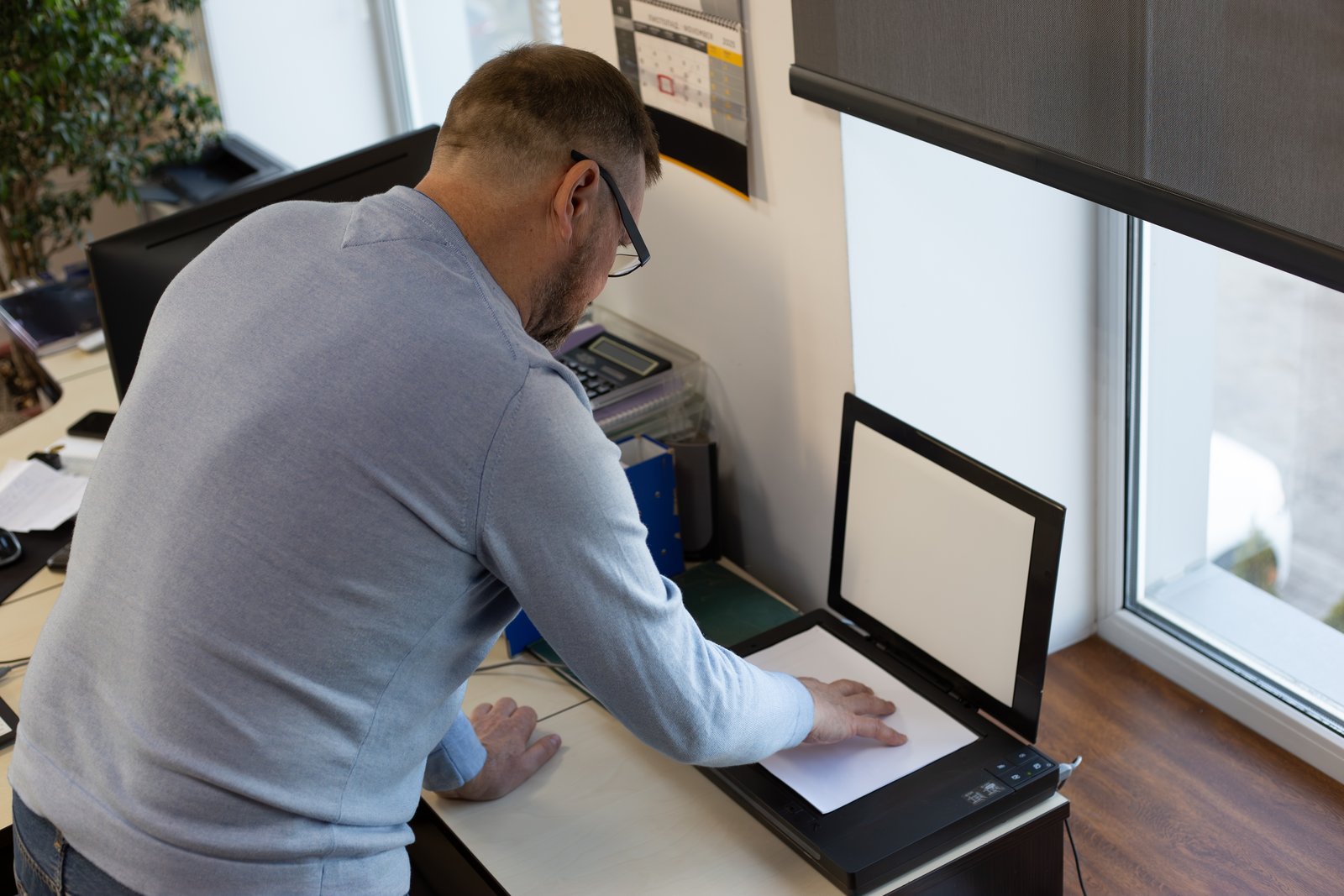
The best document scanner for small business use depends on how much paper you handle, how many people share it and where the scans need to go.
These six picks range from compact desk models to a battery-powered scanner for client visits.
Quick picks
- Best overall: ScanSnap iX1300. Compact, duplex, Wi-Fi and USB, ideal for small desks.
- Best for a busy office: ScanSnap iX2500. 100-sheet feeder and 45 ppm duplex scanning.
- Best budget Wi-Fi scanner: Brother ADS-1800W. Compact, USB-C powered and Wi-Fi ready.
We may earn a commission if you buy through links on this page. It never changes our verdicts. How we review.
ScanSnap iX1300
Check price on AmazonScanSnap iX2500
Check price on AmazonBrother ADS-1800W
Check price on AmazonThis guide is compiled from maker specifications (PFU, Brother, Epson) and expert roundups from TechGearLab, TechRadar and Popular Mechanics. Read more about how we review.
Document scanners compared
| Scanner | Speed | ADF sheets | Duplex | Connections | Portable | Best for |
|---|---|---|---|---|---|---|
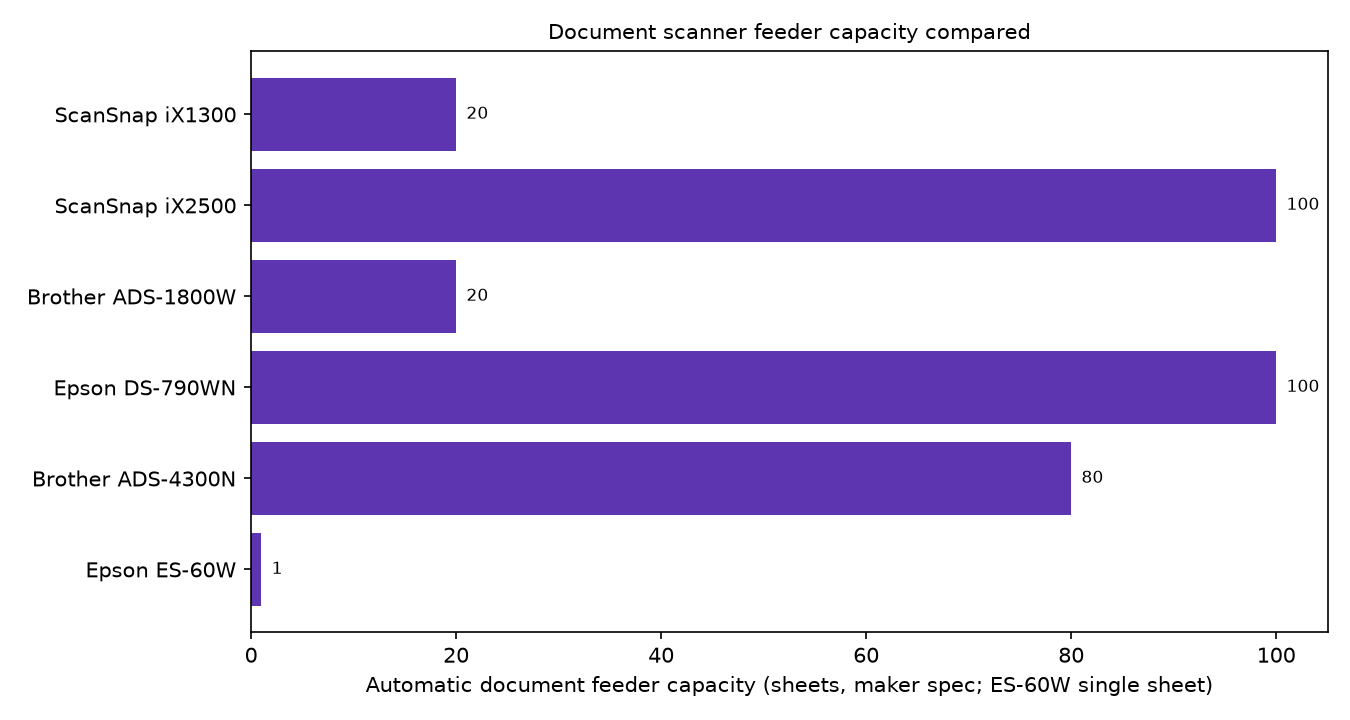
| ScanSnap iX1300 | 30 ppm | 20 | Yes | Wi-Fi, USB 3.2 | No | Small desks |
| ScanSnap iX2500 | 45 ppm / 90 ipm | 100 | Yes | Wi-Fi 6, USB 3.2 | No | Busy office |
| Brother ADS-1800W | 30 ppm / 60 ipm | 20 | Yes | Wi-Fi, USB-C | Compact | Budget Wi-Fi |
| Epson DS-790WN | 45 ppm / 90 ipm | 100 | Yes | Wi-Fi, Gigabit Ethernet, USB | No | Shared network |
| Brother ADS-4300N | 40 ppm | 80 | Yes | Gigabit Ethernet, USB 3.0 | No | Wired office |
| Epson ES-60W | about 4 s per page | single sheet | No | Wi-Fi, USB | Yes, battery | On the road |
In the table, ppm means pages per minute and ipm means images per minute. Duplex scanning captures both sides of a page in one pass, so the ipm figure is double the ppm figure.
ScanSnap iX1300: best overall for small desks
The ScanSnap iX1300 handles 30 ppm through a 20-sheet automatic document feeder (ADF). It captures both sides in one pass and connects by Wi-Fi or USB 3.2.
It fits a small workspace without sacrificing duplex or wireless scanning. That makes sense for a sole trader or two-person business handling a steady trickle of paperwork.
Who it's for: freelancers, home offices and small teams with modest daily paperwork.
Who it isn't for: offices scanning large daily batches. The 20-sheet feeder needs frequent refills; consider the iX2500.
Check price on AmazonScanSnap iX2500: best for a busy office
The ScanSnap iX2500 replaces the iX1600, scanning at 45 ppm (90 ipm duplex). Its 100-sheet feeder holds five times as much as the iX1300.
It connects through Wi-Fi 6 or USB 3.2. The big advantage is loading a thick stack of invoices at once rather than feeding smaller batches.
Who it's for: busy offices, practices and teams digitising archive boxes or scanning for month-end bookkeeping.
Who it isn't for: people scanning a few weekly receipts. The iX1300 or Brother ADS-1800W takes less space.
Check price on AmazonBrother ADS-1800W: best budget Wi-Fi scanner
The Brother ADS-1800W matches the iX1300 at 30 ppm (60 ipm duplex), with a 20-sheet feeder. Wi-Fi and USB-C connections are available, and USB-C power reduces cabling.
Brother lists Linux SANE drivers for it, which helps if anyone in the office runs Linux.
Who it's for: budget-conscious small businesses wanting wireless duplex scanning, plus Linux users.
Who it isn't for: high-volume offices needing a larger feeder or wired networking.
Check price on AmazonEpson DS-790WN: best for a shared network
Designed for shared use, the Epson DS-790WN scans at 45 ppm (90 ipm duplex), has a 100-sheet feeder and is rated for 7,000 pages daily.
It offers Wi-Fi, Gigabit Ethernet and USB, the broadest connection choice here. That suits one scanner shared across an office network.
Who it's for: offices sharing one scanner and businesses with heavy daily volumes.
Who it isn't for: most solo operators, who will not need this capacity.
Check price on AmazonBrother ADS-4300N: best for a wired office
The Brother ADS-4300N scans at 40 ppm, supports duplex and has an 80-sheet feeder. Connections are Gigabit Ethernet and USB 3.0, and it can scan to a USB drive; Wi-Fi is not listed.
This wired setup suits offices that prefer plugged-in network equipment.
Who it's for: wired offices with steady, high scanning volumes.
Who it isn't for: anyone needing Wi-Fi or placement away from a network port.
Check price on AmazonEpson ES-60W: best for scanning on the road
The portable, battery-powered Epson ES-60W handles one sheet at a time, taking about 4 seconds per page. Its battery lasts around 300 pages.
It connects by Wi-Fi or USB. There is no duplex scanning, so two-sided documents require another pass.
Who it's for: mobile workers, tradespeople and consultants scanning signed documents or receipts away from the office.
Who it isn't for: desk-based batch scanning. The feeder-equipped models above are much faster.
Check price on AmazonHow to go paperless with a document scanner
Going paperless also depends on setting up the scanner properly.
Choose the right ADF size
An automatic document feeder determines how much paper you load at once. A 20-sheet feeder suits occasional jobs; 80 to 100 sheets suits month-end receipts and old files.
Get duplex scanning
Invoices, contracts and letters may have printing on both sides. Duplex captures both in one pass, halving handling. Five of these six scanners support it.
Decide between Wi-Fi and Ethernet
Wi-Fi offers flexible placement. Ethernet provides a stable wired connection for shared machines. The Epson DS-790WN has both.
Scan to cloud folders
Set up scan profiles that send files to named folders such as "Receipts" or "Supplier invoices". Check the maker's app for the cloud services it supports.
Turn on OCR for searchable PDFs
Optical character recognition (OCR) makes scanned PDF text searchable by supplier name or invoice number. Without OCR, the scan remains an image.
For incoming post, see our free virtual business address guide. For outgoing items, see best label printer for small business.
FAQ
Is a phone scanning app good enough for a small business?
For the odd receipt, often yes. For batches of multi-page or double-sided paperwork, a dedicated scanner with an ADF and duplex saves time.
What scanner do accountants use?
There is no single standard. Bulk scanning makes feeder capacity and duplex the priorities, which points to a 100-sheet model such as the ScanSnap iX2500 or, for a shared office, the Epson DS-790WN.
Is a ScanSnap worth it?
For regular scanning, the iX1300 suits compact daily work and the iX2500 handles large batches. On a budget, the Brother ADS-1800W matches the iX1300 for speed and feeder capacity.
Can a document scanner send straight to Xero, QuickBooks or Google Drive?
Usually through the maker's software or a cloud folder rather than directly. Supported destinations vary by scanner, so check the maker's current list before you buy.
Do I need a duplex scanner?
Yes, for double-sided paperwork. Duplex captures both sides in one pass. A single-sided model such as the Epson ES-60W makes more sense for portable work.
Our verdict
The ScanSnap iX1300 is the best all-rounder for most small businesses. Choose the ScanSnap iX2500 for busy offices or the Brother ADS-1800W for tighter budgets.
Check price on Amazon Check price on Amazon Check price on AmazonFind more practical guides in our business section.
As an Amazon Associate I earn from qualifying purchases.
Keep reading
- AI & Tools Best Label Printer for Small Business in 2026
- Run the Business Best Virtual Business Address Services (2026)
- AI & Tools Best Simple CRMs for a Company of One (2026)